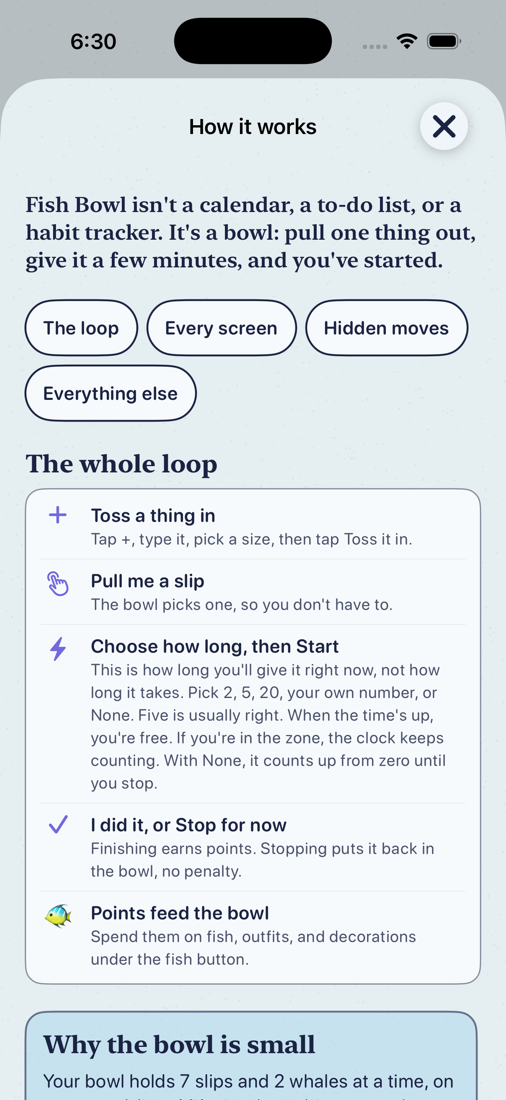
The whole loop, in five lines
- Toss a thing in. Tap +, type it, pick a size, tap Toss it in.
- Pull me a slip. The bowl picks one, so you don't have to.
- Choose how long, then Start. This is how long you'll give it right now, not how long it takes. Five minutes is usually right.
- I did it, or Stop for now. Finishing earns points. Stopping puts it back in the bowl, no penalty.
- Points feed the bowl. Spend them on fish, outfits and decorations under the fish button.
Every paper in the water is a slip. The list, bell and gear sit on the points card at the top; the fish button at the top right opens Fish & rewards; the ? opens the same instructions inside the app.
Your bowl holds 7 slips and 2 whales at a time, on purpose. A list of fifty is where things go to be ignored. A bowl you can see the bottom of is where things get started and finished. Everything else waits in the Someday net, and a spot opens up every time you catch a slip.
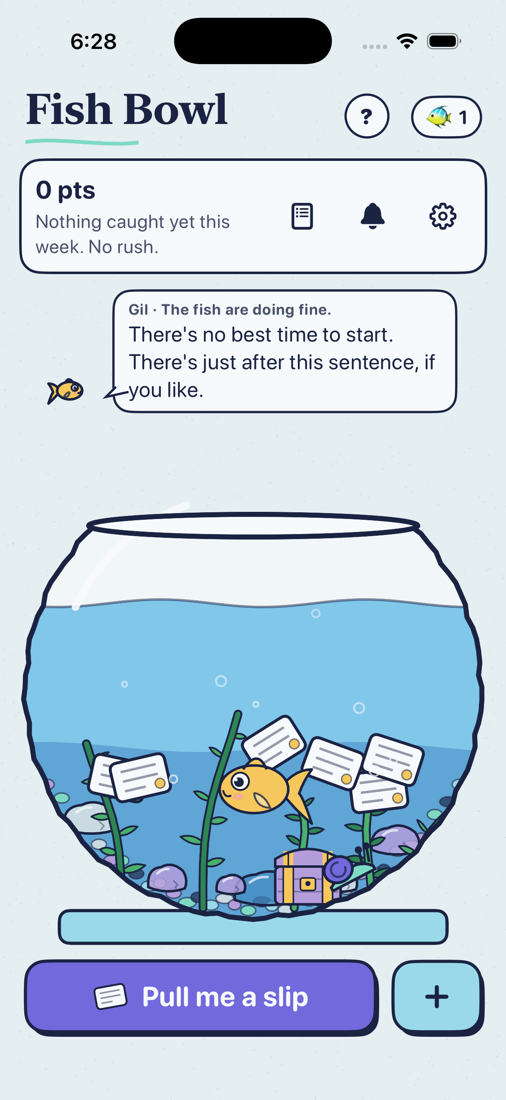
Tossing something in
- Tap + at the bottom right. On an empty bowl the big button opens the same sheet.
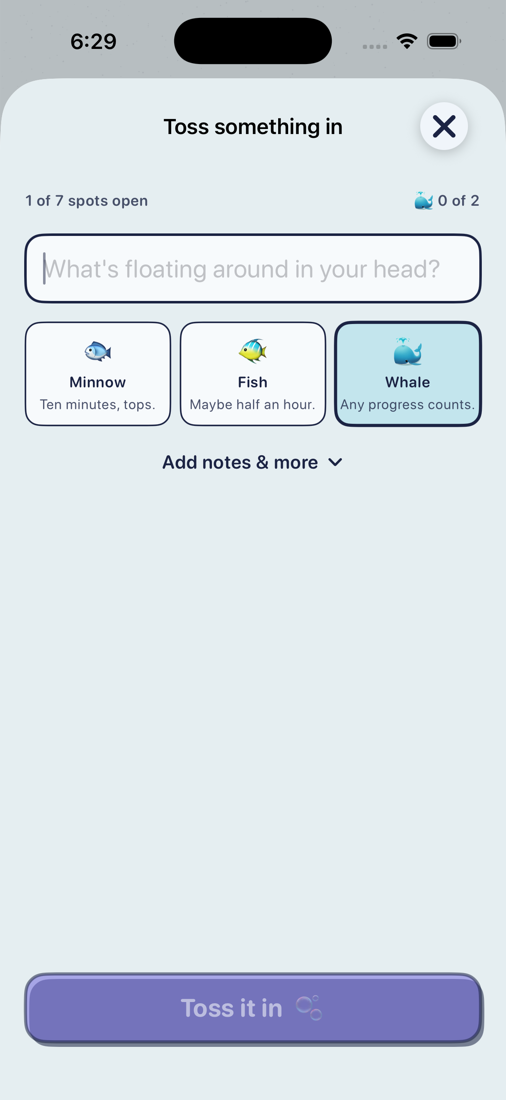
- Type what's floating around in your head. One thing per slip.
- Pick a size. It's Minnow unless you say otherwise:
- Minnow: ten minutes, tops. 3 points.
- Fish: maybe half an hour. 6 points.
- Whale: a project. The steps sheet opens as soon as you toss one in. 12 points.
- Tap Toss it in. That closes the sheet.
Adding several in a row: press the Return key instead of Toss it in. The slip goes in and the keyboard stays up for the next one.
Add notes & more, under the size, is for the things the slip needs when it comes up: a packing list, the shopping, a number to call, a link. The notes show on the slip's card when you draw it, so the list is right there. The same panel holds has to happen, every day, and comes after.
Hey Siri, add a minnow to Fish Bowl. Siri asks what the task is, reads it back, then opens the slip. Fish and whale work too, and add a slip to Fish Bowl asks the size as well. Say the size in the phrase and the task when asked; Siri can't hear the task inside the phrase itself.
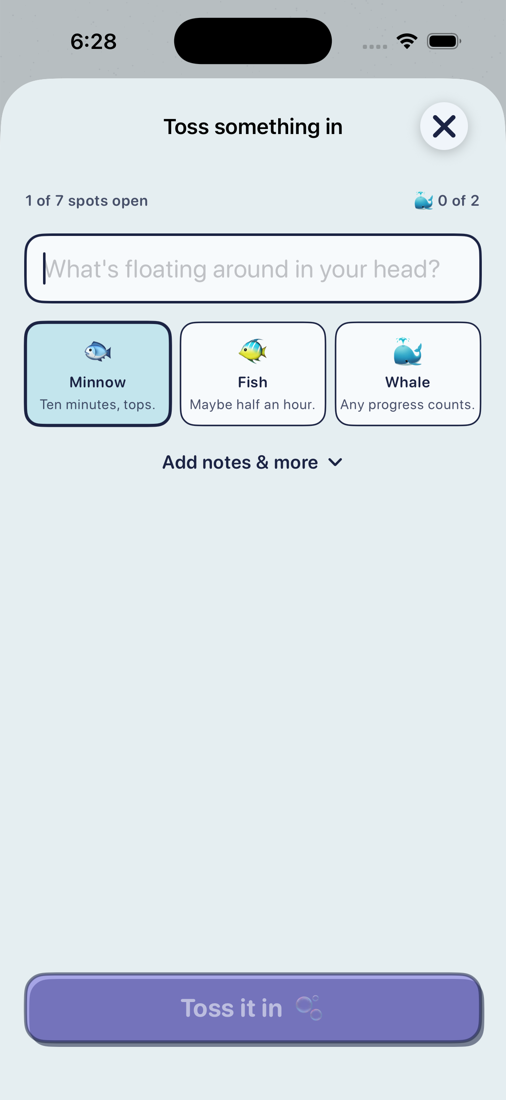
Pulling a slip
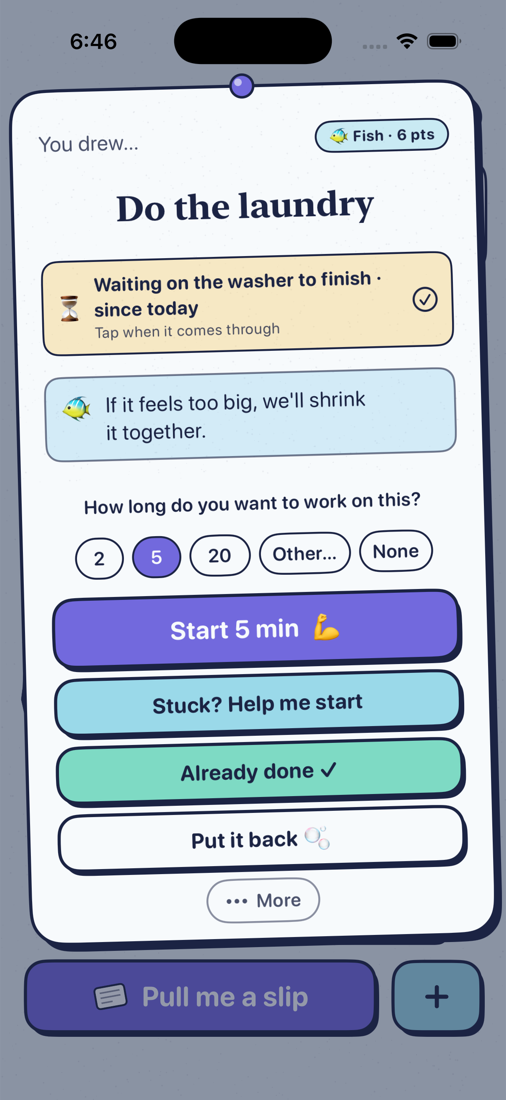
Tap Pull me a slip. The bowl chooses one at random and its card comes up. You can always put it back.
- The minutes. 2, 5, 20, Other… for your own number, or None. This is how long you'll work on it this time, not how long it takes. The card remembers your last choice.
- Start. Starts the clock.
- Stuck? Help me start. Ten ways in, one row each. See Help, I'm stuck.
- Already done. Catches it without a timer, for the things you did off the phone.
- Put it back. Back in the bowl. No penalty. The bowl offers a slip you've put back a little less often for a while, and landing one that got away twice pays 3 extra points.
- More. Break it into steps (whales), and Waiting on….
Any note on the slip shows under its name, and the fish's note above the minutes is a word about this slip.
Want to pick the slip yourself? Drag it up out of the water on the home screen. Let go underwater and it drifts back. Or open the list and swipe the slip right.
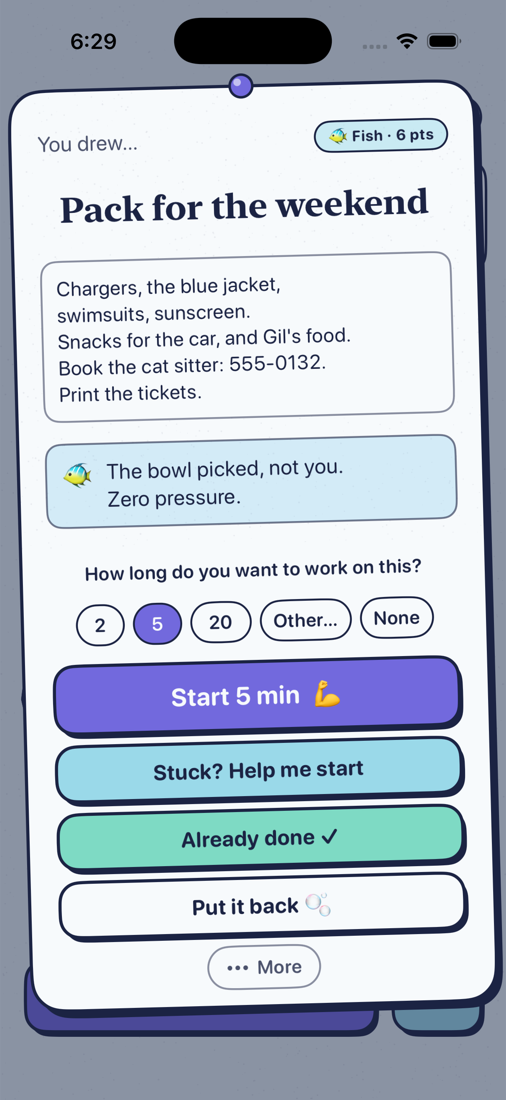
While the timer runs
- Pause. Tap the clock. Tap again to resume. The word under it does the same.
- Change the length. Under the timer, tap N min · change, or No timer · set one to add a countdown to a timerless start.
- Ding or quiet at the end. The chip under the clock. Remembered for next time; it also decides whether the lock-screen notification makes a sound.
- When the countdown ends, the clock keeps counting up so you're not interrupted. If you're in the zone, keep going. With None, it counts up from zero until you stop.
- I did it! catches the slip. Stop for now is the one way out: the slip goes back in the bowl, just as likely to come up as before.
- The … menu at the top: Take a break now, Listen, Waiting on….
- Listen. Turn it on and just say "I'm starting", "I need a break", "I'm back", "I'm stuck" or "I'm done". No Hey Siri. Only while this screen is open.
Gil stays on screen the whole time. That's the body double: someone in the room while you work, present and not helping.
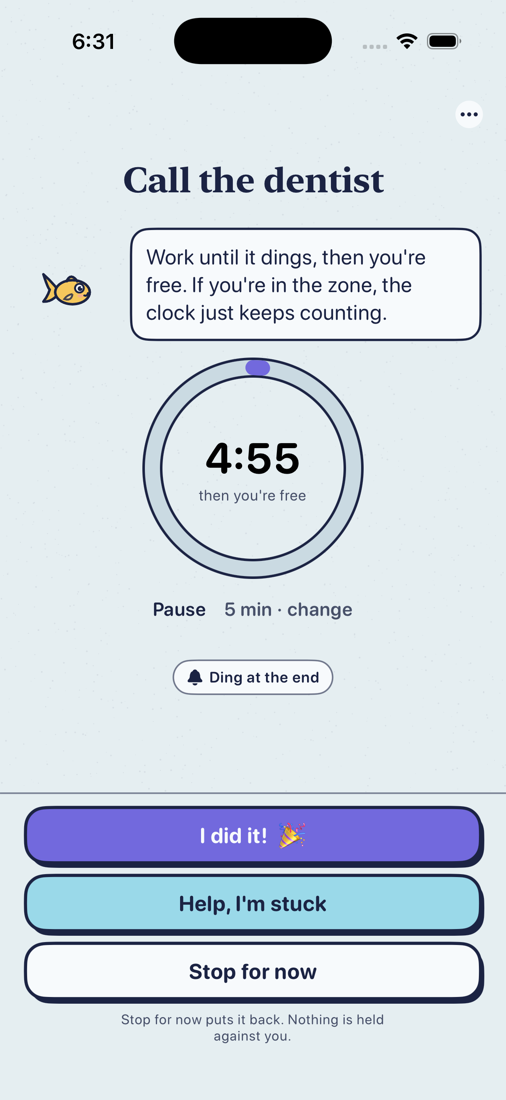
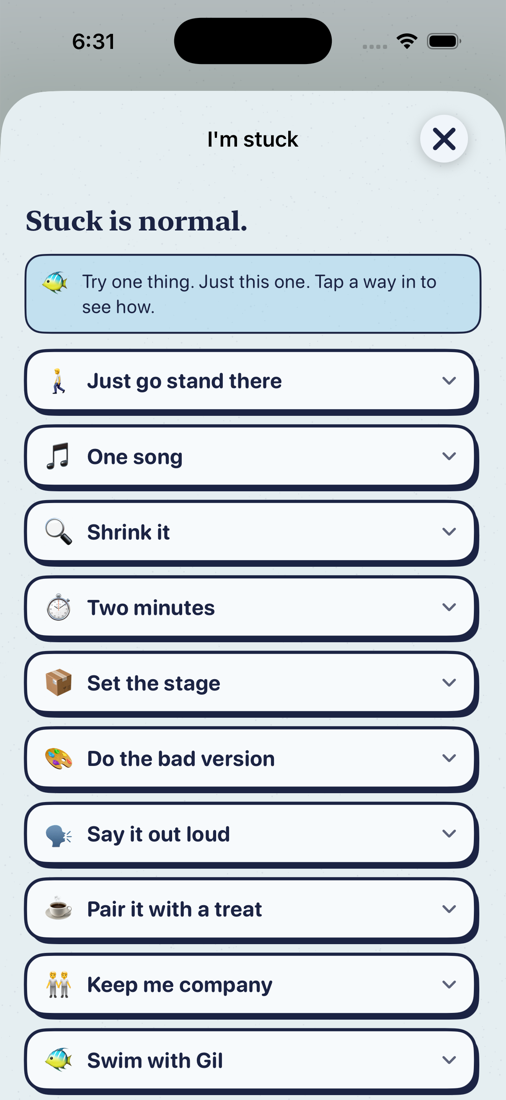
Help, I'm stuck
On the slip you drew it's Stuck? Help me start, under Start. Once the timer is running the same screen is Help, I'm stuck, under the clock. Stuck is normal. Try one thing, just this one; tap a row to read it.
- Just go stand there. Go to where the thing happens. That's all.
- One song. Work for the length of one song.
- Shrink it. Opens a line to write the tiniest first step; it's kept on the slip.
- Two minutes. Sets the clock to two and starts it.
- Set the stage. Get the things out, nothing more.
- Do the bad version. Permission for it to be rough.
- Say it out loud. Name the first move.
- Pair it with a treat.
- Keep me company. Body doubling: Ask someone sends the ask by message, suggesting FaceTime, so someone is on video while you do it. The call is yours to place.
- Swim with Gil. Shows the bowl right there.
Hey Siri, I'm stuck in Fish Bowl reads one way in aloud and opens this screen.
Catching a slip
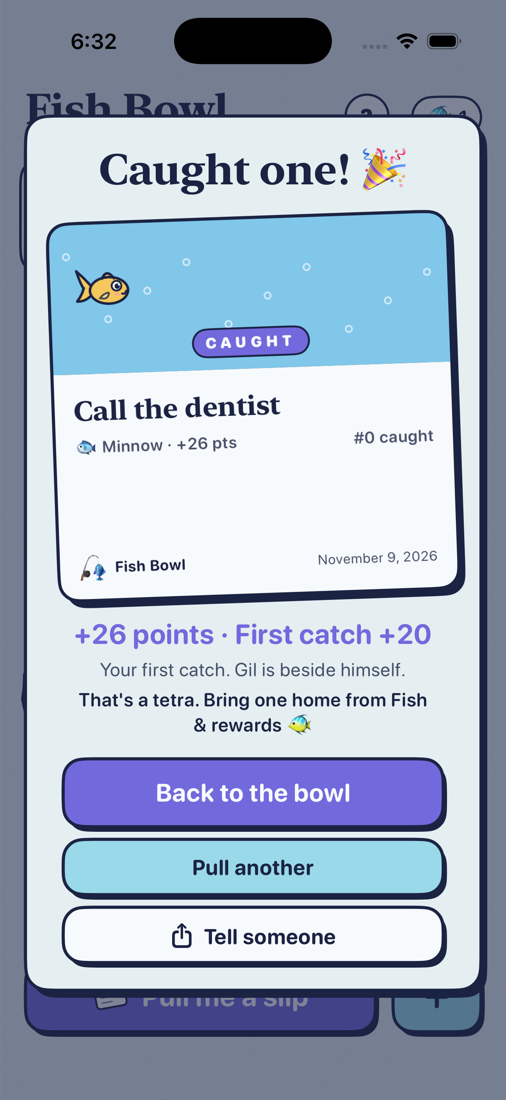
Tap I did it! on the timer, or Already done on the card. The slip is caught: its card gets a stamp, the points land, and a spot opens in the bowl.
- Your first catch ever pays 20 points extra: exactly a tetra. Bring it home from Fish & rewards.
- Back to the bowl, Pull another to keep going, or Tell someone to send the card to a person who'll ask how it went.
- Caught: tap the points at the top of the home screen for everything you've caught, day by day. Search it to check whether you paid the electric bill. Tap a catch to see its card again and send it.
Nothing here is ever punished. Put things back as often as you like.
Whales and steps
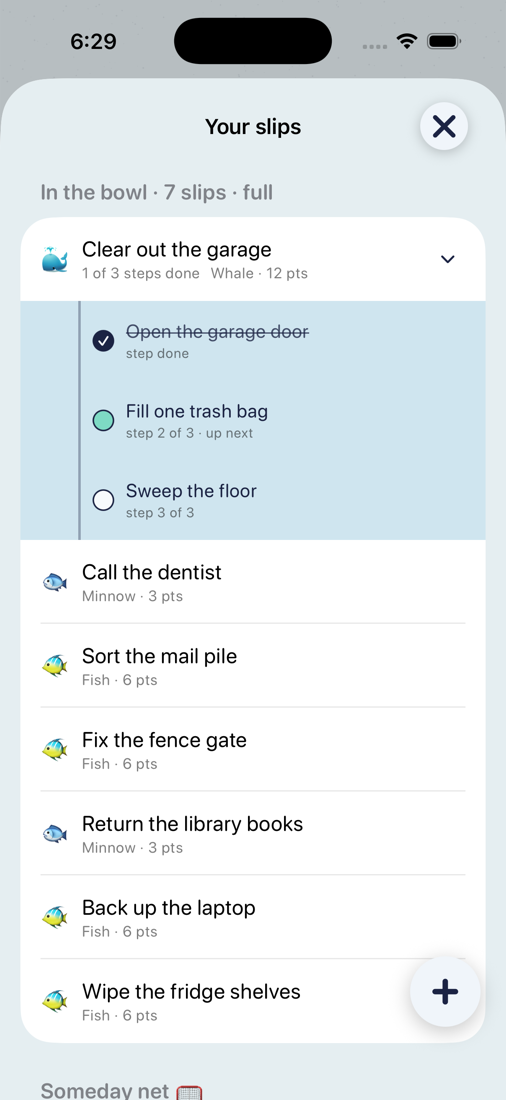
A whale is a project: anything that won't fit in one sitting. The steps sheet opens as soon as you toss one in, and the bowl holds two whales at a time.
- Toss in a whale, or open a slip's card and choose More → Break it into steps.
- Write small steps. Each one lives on the whale's card and has a Start of its own.
- Start any step. Showing up for a step is 3 points; the whale pays out its 12 when you land the whale itself. Finishing the last step leaves the whale in the bowl: catch it when it is really done, or add more steps first.
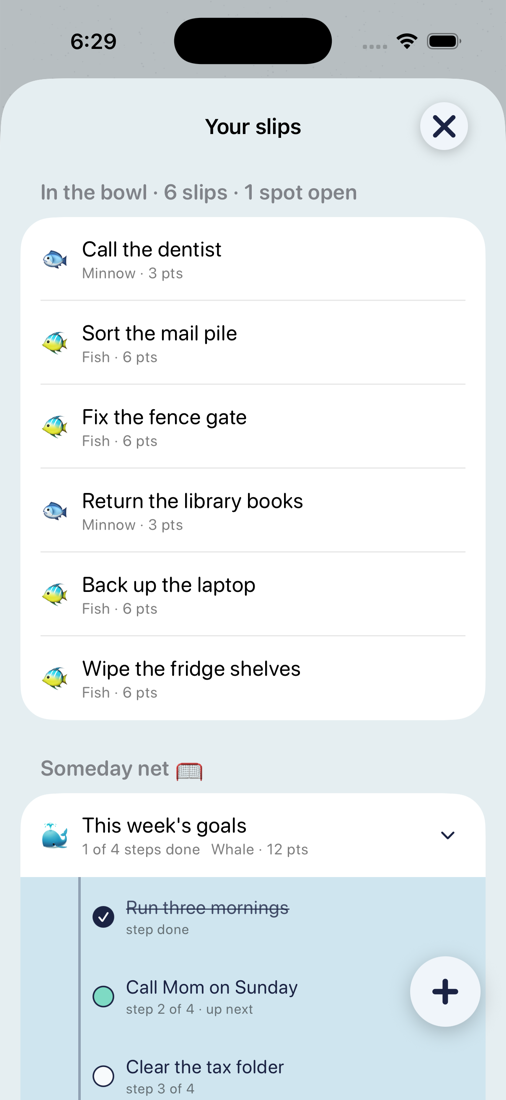
In Your slips (the list button) a whale's chevron opens its steps. A step you won't do after all: swipe it left and let it go. Tap I did it! on the whale and whatever's left is set aside with it.
A fish is one sitting. If a fish turns out to be bigger than that, Shrink it under Help me start is its first step.
The Someday net: long-term things that aren't for this week
The bowl is for what you'll start soon. Everything else goes in the Someday net, where it's never drawn and never lost.
- Open Your slips (the list button on the points card).
- Swipe a slip left and choose Someday. It moves to the net, under the bowl section.
- When its time comes, swipe it right: it moves back into the bowl.
Tip: keep your long-term goals as a whale in the net. Make one whale called This year's goals or This week's goals, break it into steps, and park the whole whale in the Someday net. The net shows its steps too, so the list is always there to read and add to, but none of it is drawn until you move it into the bowl. When you're ready to work on one, swipe the whale right into the bowl, start a step, and park it again after. Each step you catch pays its points, and the whale pays out when the last one lands.
The net also takes the overflow. When the bowl is full, Save it for later on the add sheet drops the new slip straight into the net.
Waiting on…: pause a slip without losing it
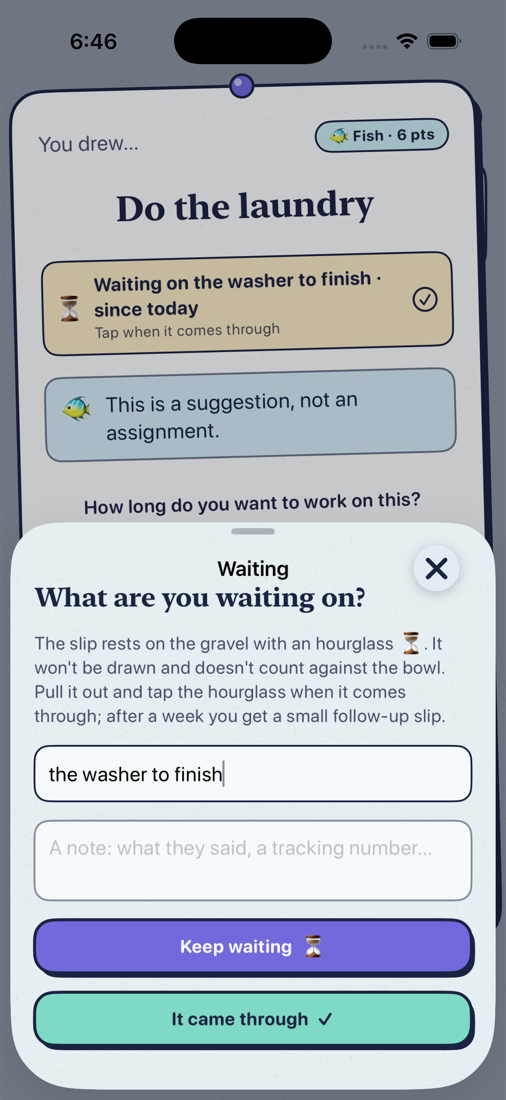
Some things can't be finished in one go because something else has to happen first. Waiting on… parks the slip on the gravel with an hourglass. It isn't drawn, and it doesn't count against the bowl.
Say you pull Do the laundry and start the load. Now there's nothing to do for forty minutes.
- On the slip's card, tap More → Waiting on… (also in the … menu while the timer runs).
- Type what you're waiting on: the washer to finish. A note is optional.
- Tap Keep waiting. The slip rests on the gravel with its hourglass and the bowl is yours for something else.
- When the washer beeps, drag the slip out and tap the hourglass on its card, or swipe it in the list. It's back in play, same notes and all: move the load, start the dryer, and Waiting on again if you like.
The same works for a person, a part or a refund: Mom to call back, the part to arrive, the paint to dry. After a week of waiting the app offers a small follow-up slip, so nothing waits forever.
When the bowl is full
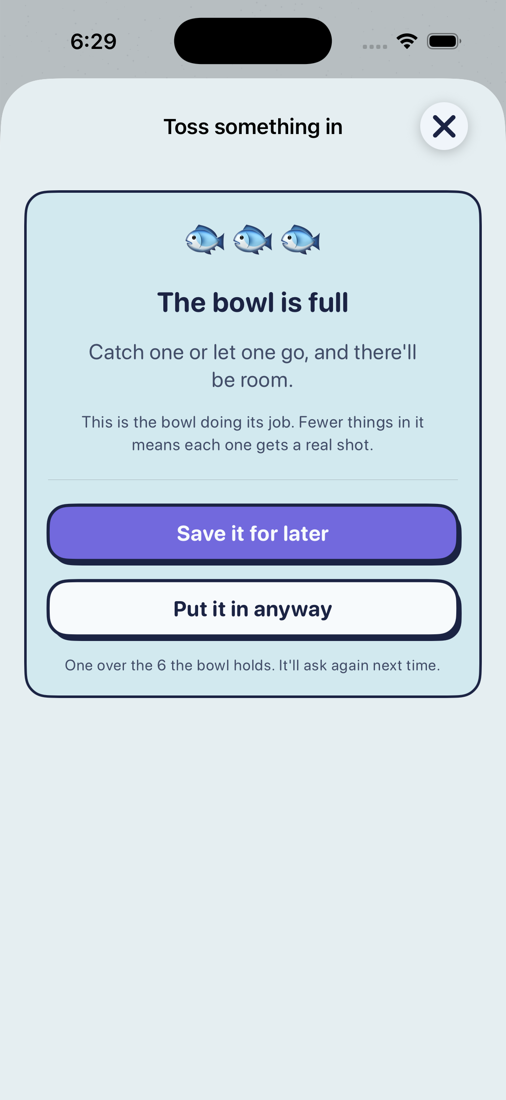
The bowl says so, with two ways on:
- Save it for later puts the new slip in the Someday net.
- Put it in anyway lets one over the number in. It asks again next time.
Either opens the usual form. The Someday net's To bowl offers the same choice, and so does a slip's editor when a third whale is made of it.
Want it a little bigger or smaller? Settings → Bowl holds N slips. Smaller bowl, fewer open loops. Seven is a decent start.
Your slips, the list
The list button on the points card shows every slip: what's in the bowl, waiting, the Someday net, Caught, and the weeks album at the top.
- Tap a row to edit it: title, size, notes and the rest. Draw this one now is at the bottom too.
- Swipe right: a short swipe shows Draw and Done; a swipe all the way draws it. In the Someday net it moves the slip into the bowl.
- Swipe left: Let it go (deletes it for good) or Someday (parks it in the net). On a whale's step: let that step go.
- The bell: a fish taps on the glass after a while away, one gentle notification, never a series. Tap the bell for quiet for an hour, the rest of today, or off.
Every Sunday the bowl gets its picture taken. You see last week's count, carry the leftover slips forward, choose if anything rests, and pick up 20 points for closing the week, quiet week or busy one. The weeks album keeps the pictures.
Points, fish and rewards
Starting, finishing, resting, and tossing in the first slip of the day all earn points. A steady week is about 80. The fish button at the top right opens Fish & rewards: the holiday shelf when one's open, your fish, your bowl, the shelf of things to bring home, and what Fish Bowl Plus adds. Points to spend sit under the title.
- Bring home a fish. A tetra is cheap; the angelfish and the octopus are meant to take weeks. Own as many as you like; eight swim at once. The switch on each fish rests it or puts it back. Gil always stays.
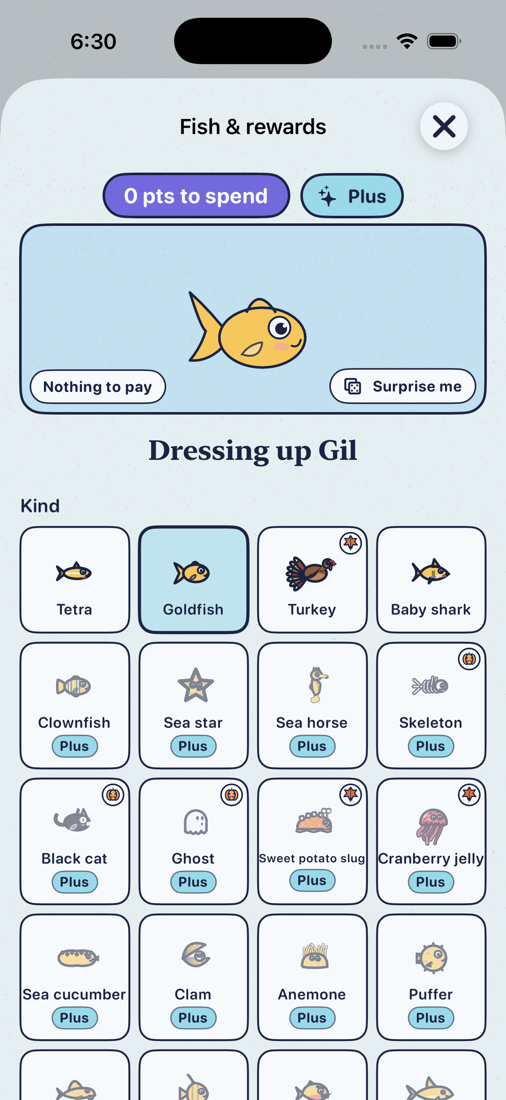
- Dress up. Tap a fish. Kind and color are free; patterns and extra outfits cost points. The first three outfits are free. Surprise me rolls a random look, and Save reads Update for N pts when something costs.
- Your bowl. Water color, Fish size, Shuffle my bowl (arranges the bowl again from what's yours, nothing bought), and Show off my bowl (six seconds of video to save or share).
- The shelf. Decorations, each with a switch. The chest, the party hat, the glasses and the bow are free to start. Some decorations are earned by catches; the castle only ever comes from landing whales.
- Holiday shelves. For a few weeks a year holiday things join the shelves. The banner at the top of Fish & rewards opens the collection.
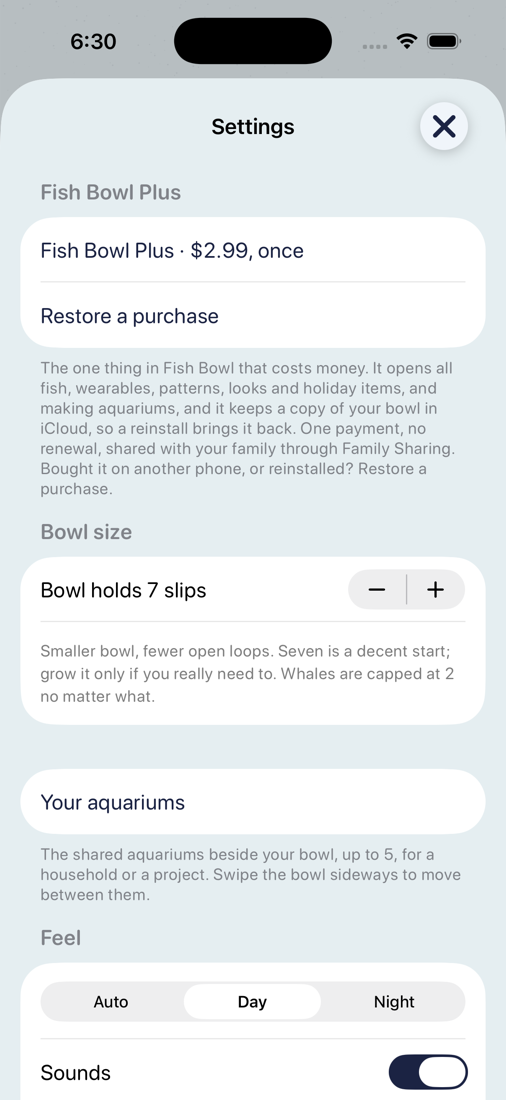
Fish Bowl Plus is the one thing that costs money: $2.99, once, for the whole family: everyone in your Family Sharing group has it once one of you buys it. It opens the other species, every outfit and pattern, the other bowl looks, the rest of each holiday shelf, making aquariums, and a copy of your bowl in iCloud. Points still buy the fish, and nothing you already have is ever taken away.
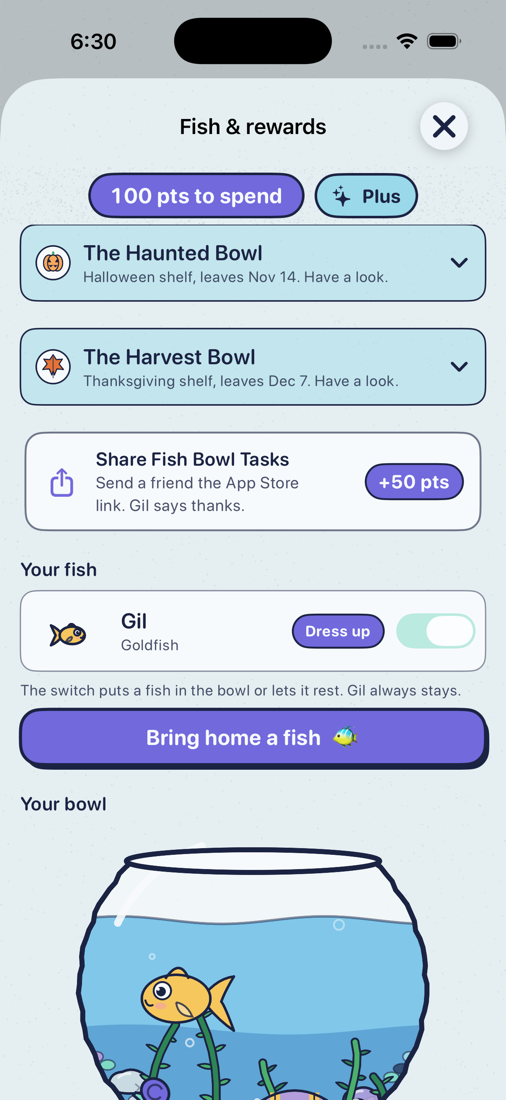
Get 150 points right away: share Fish Bowl with three friends
The fastest points in the app don't need a single slip caught. The first three friends you send the App Store link to are worth 50 points each, 150 in all: enough for a tetra and an outfit on day one.
- Open Fish & rewards (the fish button at the top right).
- Tap the Share Fish Bowl Tasks card, right under the points. It's in Settings too.
- Pick a friend in the share sheet and send the link by Messages, Mail, or wherever.
- The 50 points land as soon as the share sheet finishes. Do it three times and the card goes away; you've collected the lot.
The friend doesn't have to install anything for your points to count, and nothing about them is sent anywhere. It's the App Store link, nothing more.
Shared aquariums
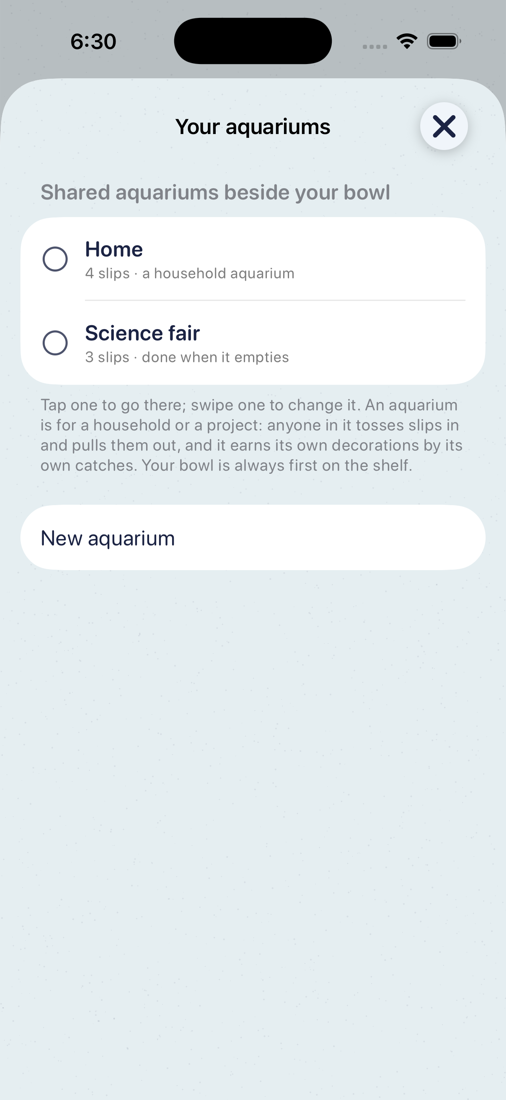
Your bowl is yours alone. An aquarium is the shared kind: straight glass with a rim, for a household or a project, sitting beside your bowl. Swipe the bowl sideways to get to one; the dots under the glass show where you are.
- Tap the + by the dots under the glass (or hold the title, or Settings → Your aquariums) and choose New aquarium. Name it, say what it's for.
- Tap the people button on the points card and Invite someone. The invitation goes by Messages or as a link; both phones need iCloud.
- Whoever accepts sees the aquarium beside their own bowl, their fish swims in, and they toss and pull in it like you.
- An aquarium holds up to 8 people, you included. Each has their own color on their slips and on what they buy for it.
Every slip says whose it is. Two people pull the same slip: whoever lands it first keeps it. A slip can only be let go by whoever tossed it in or by the maker; anyone can catch it. A project aquarium finishes when the last slip is caught: a trophy with its name goes in the gravel.
An aquarium has its own points. Whoever catches a slip there earns its points there, shown as "pts here" while you're in it. They spend only in that aquarium, and your own bowl's points don't spend there, so nobody can buy an aquarium out on the first day. In Fish & rewards → The shelf they buy a decoration or a kind of seaweed for everyone, holiday decorations included while their shelf is open. There is one of each: the first to buy it has it, its row says who it's from with their color, and everyone is told. Anyone can switch a decoration off or on. The everyday decorations also arrive for free as the aquarium's catches add up.
An aquarium lives in iCloud, in the maker's account, encrypted on the phone before it goes up; only the people in it can open it. With Apple's Advanced Data Protection turned on, the keys stay on your devices and theirs; without it, Apple keeps one too. While someone in the aquarium is still on Fish Bowl 1.0, it is also kept in an older form their phone can read, which Advanced Data Protection doesn't cover. No Fish Bowl server, no account to make. Making one is Fish Bowl Plus, up to five; joining one is free.
Settings
The gear on the points card.
- Bowl holds N slips. The size of the bowl, 5 to 30.
- Your aquariums, and Fish Bowl Plus with Restore a purchase.
- Feel: Sounds and Haptics.
- Back up this phone puts everything in one file you can save to Files or send yourself; Restore a backup… reads one back.
- Clean the bowl: Gil swims alone again and every other fish and decoration rests in Fish & rewards, still yours. Nothing is lost.
- Send a report or an idea goes to the person who makes Fish Bowl.
Adding the widget to your home screen
The widget shows what's in the bowl without opening the app, and its pill draws a slip from the home screen.
- On your iPhone's home screen, touch and hold an empty spot until the icons jiggle.
- Tap Edit at the top left, then Add Widget.
- Search for Fish Bowl, or scroll to it.
- Swipe between the three sizes and tap Add Widget. Drag it where you want it, then tap Done.
- Small shows how many slips are in the bowl.
- Medium and large list the slips themselves.
Tap the widget to open your bowl. Tap its Pull me a slip pill to draw one straight away. Tap a slip in the list to open its card.
On the lock screen there's a small one too, with the counts only: touch and hold the lock screen, tap Customize, choose the lock screen, tap the area under the clock, and pick Fish Bowl.
The same instructions, inside the app
Tap the ? on the home screen for How it works: the loop, every screen labeled, the hidden moves, and everything else. It's the same text as this page, on the phone, for the moment you're stuck on one thing.
The tricks that aren't obvious, with the three that make the biggest difference, are on their own page: Tips & tricks.
Something not covered here? Ask on the support page, or use Send a report or an idea in Settings.